#1. What Is Event Tracking in GA4?
In GA4, events record specific user interactions on your website or app, not just page visits. Examples include:
- Clicks → links, buttons, or images
- Downloads → PDFs, images, or resources
- Form submissions → enquiries, registrations, or newsletter sign-ups
- Video plays → when a user starts watching a video
These actions add context to your traffic data, helping you understand what people do on your site, not just how many visit.
#2. Types of Events in GA4
GA4 organises events into three categories:
- Automatically collected events → Tracked by default (e.g., page_view, session_start).
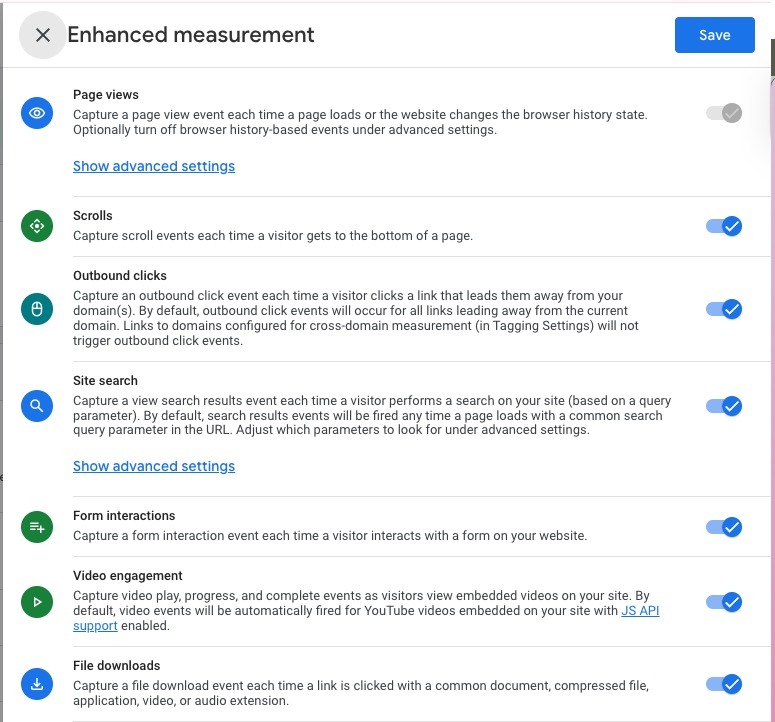
- Enhanced measurement events → Easy to enable with a toggle (e.g., scrolls, outbound clicks, site search).
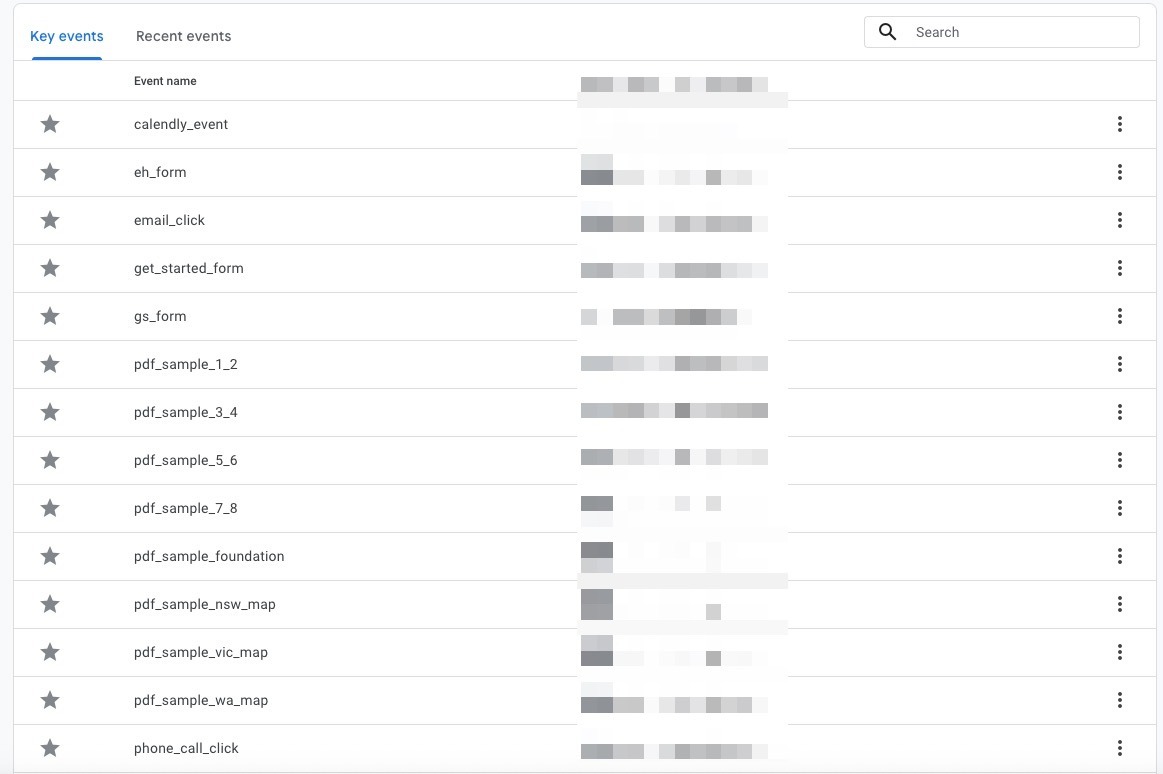
- Custom events → Created by you for unique goals (e.g., newsletter_signup, demo_request).
👉 Example: A SaaS company might use automatic events for traffic, enable enhanced scroll tracking for blog engagement, and create a custom “trial_start” event to measure sign-ups.
#3. Best Practices for Event Setup
To avoid messy or unreliable data, follow these tips:
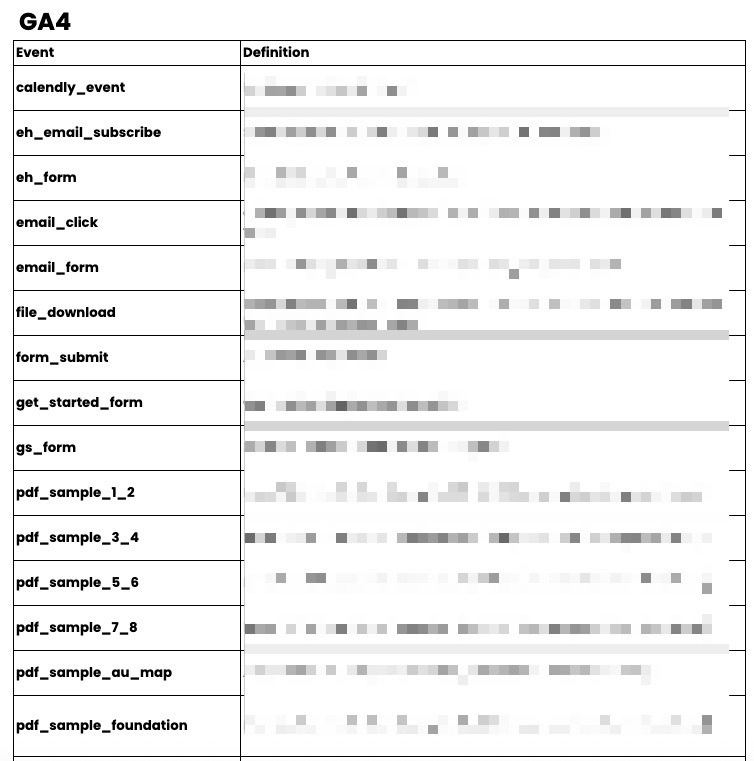
- ✅ Use descriptive names → e.g., form_submit_newsletter instead of click1.
- ✅ Stay consistent → apply the same naming conventions across your site.
- ✅ Test before launch → use GA4’s real-time reports to confirm your setup works.
- ❌ Avoid vague or duplicate events → they create confusion later.
💡 Pro tip: Create a simple event naming convention document for your team. It keeps everyone aligned and avoids future headaches. Want a head start? Download our free Event Naming Convention Template with pre-filled examples to keep your tracking consistent.
#4. Analysing Event Data for Better Results
Once you’re collecting event data, GA4 helps you spot what’s working and what isn’t. Examples:
- Low downloads? Improve your call-to-action or reposition your download link.
- High video plays? Lean into video content in your marketing.
- Frequent outbound clicks? Explore partnerships with those sites.
For deeper insights, use Explorations in GA4 to break down which events lead to conversions.
#5. Advanced Event Tracking Techniques
Ready to level up? Here are a few advanced tactics:
- Track eCommerce events → see which actions drive sales (e.g., add_to_cart, purchase).
- Add custom parameters → capture extra context like button text, page location, or campaign ID.
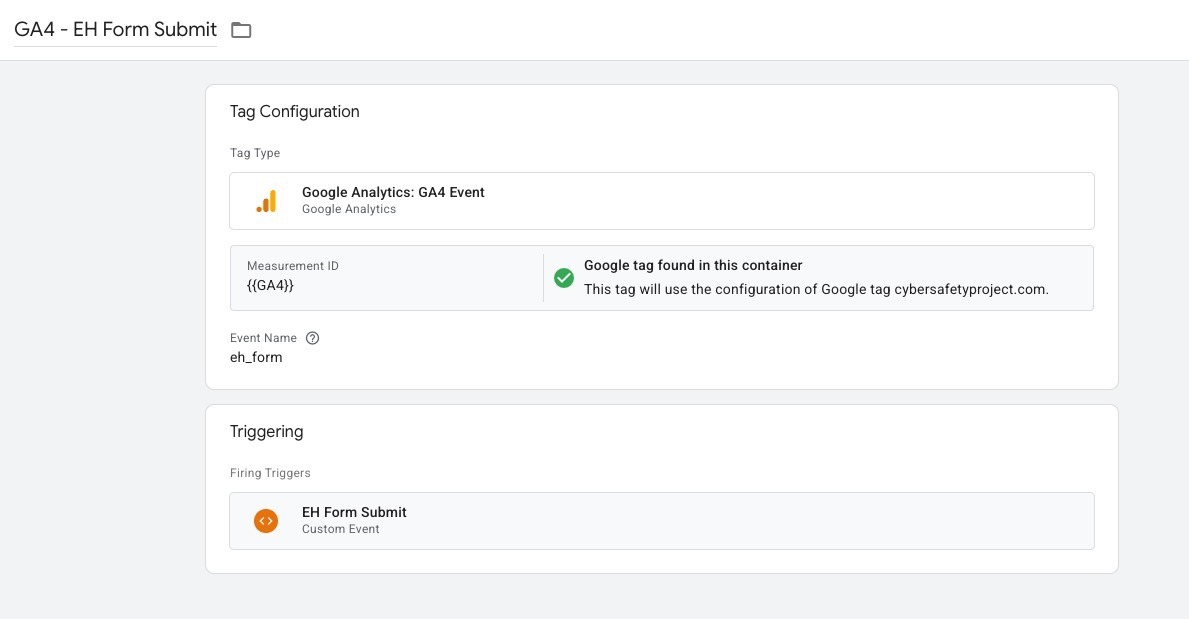
- Use Google Tag Manager (GTM) → set up events flexibly, without hardcoding changes.
- Build dashboards in Looker Studio → visualise your events for easy reporting.
🚀 Level Up Your Tracking: Don’t get lost in GA4’s menus. Grab our free GA4 Event Tracking Checklist and Quick Reference Cheat Sheet - simple, one-page PDFs to keep your setup clear and your reporting clean.
#FAQs
How do I create custom events in Google Analytics 4 (GA4)?
Go to Admin → Events → Create Event, define your conditions, and publish.
Why aren’t my events showing up?
Check for typos, confirm your GA4 tag is installed correctly, and use real-time reports to debug.
Can I track events across multiple domains?
Yes, enable cross-domain tracking in GA4 and adjust the cookieDomain setting.
Do I need Google Tag Manager to set up events?
Not always. You can create some events directly in GA4, but GTM offers more flexibility.
#Conclusion
Event tracking in GA4 is one of the most powerful ways to understand your audience. By setting up clear, consistent events and reviewing them regularly, you’ll discover which content, features, and campaigns truly drive results.
The sooner you start tracking the right actions, the sooner you’ll unlock insights that help grow your business.
Start today by enabling enhanced measurement events, then add one custom event tied directly to your goals, whether it’s newsletter sign-ups, bookings, or sales.
Ready to put GA4 event tracking into practice? Download our free resource pack:
✅ Event Naming Convention Template
✅ GA4 Event Tracking Checklist